
Why tech Japanese looks easy and is not
A learner opening a Japanese settings screen for the first time usually feels two things in quick succession. The first is relief, because half the words are katakana and clearly English underneath. The second is confusion, because the katakana has been clipped, respelled and sometimes redefined, and the words that carry the real instructions are kanji compounds with no English inside them at all.
The way through is to treat the two halves differently. Katakana tech words reward reading practice: sound them out slowly and the English will usually surface. Kanji menu words reward memorisation as fixed labels, because you will press them thousands of times and never need to analyse the characters. Do not try to learn either half in isolation from a screen; open a device and read as you go.
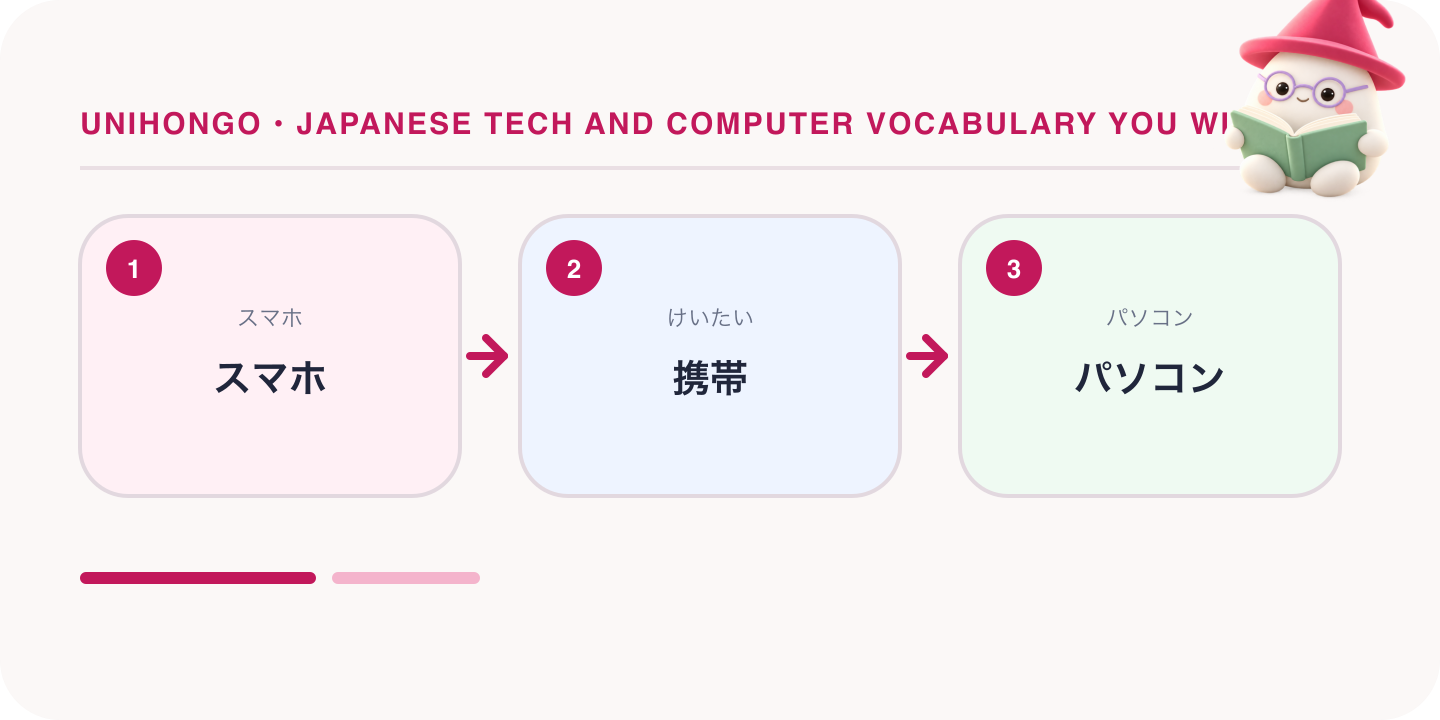
A tech vocabulary table to keep
| Japanese | Romaji | English |
|---|---|---|
| スマホ | sumaho | smartphone |
| 携帯 | keitai | mobile phone |
| パソコン | pasokon | computer |
| タブレット | taburetto | tablet |
| 画面 | gamen | screen, display |
| 電源 | dengen | power |
| 充電 | jūden | charging |
| 充電器 | jūdenki | charger |
| コンセント | konsento | wall socket |
| 音量 | onryō | volume |
| 設定 | settei | settings |
| 通知 | tsūchi | notifications |
| 言語 | gengo | language |
| 保存 | hozon | save |
| 削除 | sakujo | delete |
| 編集 | henshū | edit |
| 共有 | kyōyū | share |
| 送信 | sōshin | send |
| 検索 | kensaku | search |
| 入力 | nyūryoku | input, typing |
| 確認 | kakunin | confirm, check |
| 完了 | kanryō | done, finished |
| 更新 | kōshin | update, refresh |
| 再起動 | saikidō | restart |
| 初期化 | shokika | reset to factory state |
| 容量 | yōryō | storage capacity |
| 空き容量 | aki yōryō | free space |
| 電波 | denpa | signal |
| 圏外 | kengai | no service |
| 接続 | setsuzoku | connection |
| 機内モード | kinai mōdo | aeroplane mode |
| パスワード | pasuwādo | password |
| 暗証番号 | anshō bangō | PIN |
| アカウント | akaunto | account |
| 登録 | tōroku | registration, sign-up |
| 認証 | ninshō | authentication |
| 本人確認 | honnin kakunin | identity verification |
| 個人情報 | kojin jōhō | personal data |
| 故障 | koshō | a fault, breakdown |
| 修理 | shūri | repair |
| 保証 | hoshō | warranty |
| バックアップ | bakkuappu | backup |
Read down the kanji column and notice how short the words are. Two characters is the standard length for a button label, which is why Japanese interfaces fit so much into a narrow menu. Once these thirty or so labels are automatic, you can navigate almost any device in Japanese even if the surrounding help text is beyond you.
Loanwords whose English is hiding
These are the words that catch people out, because the English speaker's guess is wrong rather than merely slow. Konsento does not mean consent; it is the socket in the wall. Nōto pasokon is a laptop, not a paper notebook. Meado is a mail address. Sabusuku is a subscription. Giga, in everyday speech, means the mobile data allowance rather than a unit, so giga ga tarinai means I am nearly out of data.
A second group is formed by clipping. Apuri is an application, netto is the internet, rimokon is a remote control, dejikame is a digital camera, and kopipe is copy and paste, used as a verb with suru. Garakē, from Galapagos keitai, is the older folding feature phone. When you meet an unfamiliar katakana word, try adding syllables back rather than looking for a Japanese root.
- コンセント konsento: a wall socket, from the plug, not agreement.
- パソコン pasokon: any computer, desktop or laptop.
- ノートパソコン nōto pasokon: a laptop specifically.
- アプリ apuri: an app, clipped from application.
- ネット netto: the internet, used in netto de shirabemasu.
- メアド meado: an email address, clipped from mēru adoresu.
- サブスク sabusuku: a subscription service.
- ギガ giga: your monthly mobile data allowance in ordinary speech.
- モバイルバッテリー mobairu batterī: a power bank.
- コピペ kopipe: copy and paste, used as kopipe suru.
- リモコン rimokon: a remote control.
- フリーズ furīzu: a freeze; the phone or app has stopped responding.
The verbs of using a device
Nouns get you through a menu, but you need verbs to describe an action to someone helping you. Most device verbs are either a plain Japanese verb, such as osu for press or hiraku for open, or a loanword plus suru, such as tappu suru and insutōru suru. The te-form plus kudasai turns any of them into an instruction, which is exactly the shape a helper will use back at you.
Two pairs deserve attention. Tsunagu is transitive, to connect something, while tsunagaru is intransitive, for a connection that happens or fails: Wai-Fai ga tsunagarimasen is the natural way to say the Wi-Fi will not connect. Similarly, tsukeru is to switch something on, while tsuku is for a device that comes on by itself.
| Japanese | Romaji | Meaning |
|---|---|---|
| ここをタップしてください。 | Koko o tappu shite kudasai. | Please tap here. |
| 上にスワイプすると出てきます。 | Ue ni suwaipu suru to dete kimasu. | If you swipe up, it appears. |
| 長押ししてください。 | Naga-oshi shite kudasai. | Press and hold. |
| アプリをインストールしました。 | Apuri o insutōru shimashita. | I installed the app. |
| アカウントにログインします。 | Akaunto ni roguin shimasu. | I log in to the account. |
| データをバックアップしておきます。 | Dēta o bakkuappu shite okimasu. | I will back up the data in advance. |
| スマホを充電しています。 | Sumaho o jūden shite imasu. | I am charging my phone. |
| 一度再起動してみてください。 | Ichido saikidō shite mite kudasai. | Try restarting it once. |
| パスワードを入力してください。 | Pasuwādo o nyūryoku shite kudasai. | Please enter your password. |
| 写真を保存しました。 | Shashin o hozon shimashita. | I saved the photo. |
| いらないアプリを消します。 | Iranai apuri o keshimasu. | I will delete the apps I do not need. |
| Wi-Fiにつなぎたいんですが。 | Wai-Fai ni tsunagitai n desu ga. | I would like to connect to the Wi-Fi. |
Wi-Fi, signal and the trouble sentence pattern
Almost every device complaint in Japanese uses one shape: a noun, the particle ga, and a verb in the negative or the potential negative. Jūden ga dekimasen, I cannot charge it. Oto ga demasen, no sound comes out. Once you own that pattern you can build a new complaint on the spot from any noun in the table above, which matters more than memorising the individual sentences.
| Japanese | Romaji | The problem |
|---|---|---|
| Wi-Fiがつながりません。 | Wai-Fai ga tsunagarimasen. | The Wi-Fi will not connect |
| 電波が弱いです。 | Denpa ga yowai desu. | The signal is weak |
| ここは圏外です。 | Koko wa kengai desu. | There is no service here |
| ネットが遅いです。 | Netto ga osoi desu. | The connection is slow |
| 電源が入りません。 | Dengen ga hairimasen. | It will not turn on |
| 充電ができません。 | Jūden ga dekimasen. | It will not charge |
| バッテリーがすぐ切れます。 | Batterī ga sugu kiremasu. | The battery drains quickly |
| 画面が固まりました。 | Gamen ga katamarimashita. | The screen has frozen |
| アプリが落ちます。 | Apuri ga ochimasu. | The app keeps crashing |
| 音が出ません。 | Oto ga demasen. | There is no sound |
| 容量がいっぱいです。 | Yōryō ga ippai desu. | The storage is full |
| 更新できません。 | Kōshin dekimasen. | It will not update |
| ログインできません。 | Roguin dekimasen. | I cannot log in |
| 確認コードが届きません。 | Kakunin kōdo ga todokimasen. | The verification code does not arrive |
| 画面が割れました。 | Gamen ga waremashita. | The screen is cracked |
| 水に落としてしまいました。 | Mizu ni otoshite shimaimashita. | I dropped it in water |
| データが消えました。 | Dēta ga kiemashita. | The data has disappeared |
| 動きが遅くなりました。 | Ugoki ga osoku narimashita. | It has become slow |
Two of these carry a nuance worth knowing. Otoshite shimaimashita uses shimau to signal that it was a mistake with a bad outcome, which is why it sounds appropriately rueful. Ochimasu for a crashing app is the same verb as to fall, and it is the normal casual-but-acceptable way to describe it in a shop.
Accounts, passwords and verification
Sign-up screens repeat a small set of words. Tōroku is registration, ninshō is authentication, honnin kakunin is identity verification, and nidankai ninshō is two-step verification. A code sent to you is a kakunin kōdo or an anshō bangō if it is a fixed PIN. Riyō kiyaku is the terms of use, and the button you press to accept them is usually dōi suru.
The most useful sentence in this area is the one that admits a problem early: pasuwādo o wasuremashita. Japanese support staff and colleagues respond to that with a clear procedure, and trying to solve it silently usually ends with a locked account.
| Japanese | Romaji | Meaning |
|---|---|---|
| アカウントを作りたいんですが。 | Akaunto o tsukuritai n desu ga. | I would like to create an account. |
| パスワードを忘れました。 | Pasuwādo o wasuremashita. | I have forgotten my password. |
| メールアドレスを入力してください。 | Mēru adoresu o nyūryoku shite kudasai. | Please enter your email address. (staff) |
| 確認コードを送りました。 | Kakunin kōdo o okurimashita. | I have sent you a verification code. (staff) |
| コードが届いていません。 | Kōdo ga todoite imasen. | The code has not arrived. |
| 本人確認の書類は必要ですか? | Honnin kakunin no shorui wa hitsuyō desu ka? | Do you need identity documents? |
| 利用規約に同意します。 | Riyō kiyaku ni dōi shimasu. | I agree to the terms of use. |
| 二段階認証を設定しました。 | Nidankai ninshō o settei shimashita. | I have set up two-step verification. |
| 個人情報はどう使われますか? | Kojin jōhō wa dō tsukawaremasu ka? | How will my personal data be used? |
Updates, storage and a phone that is full
Kōshin and appudēto both mean update, with the kanji word more common on system screens and the katakana word more common in speech about apps. Yōryō is capacity and aki yōryō is free space, so yōryō ga tarinai means there is not enough room. Sakujo is delete on a button, but in speech people say kesu. Shokika, resetting to factory state, is the word you want to hear clearly before anyone does it to your device.
| Japanese | Romaji | Meaning |
|---|---|---|
| アップデートしてもいいですか? | Appudēto shite mo ii desu ka? | Is it all right to update it? |
| 更新に時間がかかります。 | Kōshin ni jikan ga kakarimasu. | The update takes a while. |
| 空き容量が足りません。 | Aki yōryō ga tarimasen. | There is not enough free space. |
| 写真を消せば容量が増えます。 | Shashin o keseba yōryō ga fuemasu. | If you delete photos you will get space back. |
| 初期化するとデータは全部消えます。 | Shokika suru to dēta wa zenbu kiemasu. | A factory reset erases all the data. (staff) |
| 先にバックアップを取ってください。 | Saki ni bakkuappu o totte kudasai. | Please take a backup first. (staff) |
| この設定は元に戻せますか? | Kono settei wa moto ni modosemasu ka? | Can this setting be put back? |
Asking someone for help with a device
Asking for help with technology is a social act, and Japanese has a comfortable frame for it. Open with sumimasen, add chotto to soften the size of the request, and end with oshiete itadakemasu ka rather than a bare imperative. If you are being walked through steps, the two lines you need most are confirmations: koko o oseba ii desu ka and tsugi wa dō sureba ii desu ka.
| Japanese | Romaji | Meaning |
|---|---|---|
| すみません、ちょっと教えていただけますか? | Sumimasen, chotto oshiete itadakemasu ka? | Excuse me, could you show me something? |
| このアプリの使い方が分かりません。 | Kono apuri no tsukaikata ga wakarimasen. | I do not know how to use this app. |
| ここを押せばいいですか? | Koko o oseba ii desu ka? | Do I press here? |
| はい、それで大丈夫です。 | Hai, sore de daijōbu desu. | Yes, that is fine. (helper) |
| 次はどうすればいいですか? | Tsugi wa dō sureba ii desu ka? | What should I do next? |
| Wi-Fiのパスワードを教えていただけますか? | Wai-Fai no pasuwādo o oshiete itadakemasu ka? | Could you tell me the Wi-Fi password? |
| カウンターに書いてあります。 | Kauntā ni kaite arimasu. | It is written on the counter. (staff) |
| 設定を英語に変えられますか? | Settei o eigo ni kaeraremasu ka? | Can the settings be changed to English? |
| 画面を見せてもらえますか? | Gamen o misete moraemasu ka? | Could you show me the screen? (helper) |
| 助かりました。ありがとうございます。 | Tasukarimashita. Arigatō gozaimasu. | That was a great help. Thank you. |
At the counter with a broken phone
A repair counter conversation follows a predictable order, and knowing the order is more useful than knowing every word. You state the symptom, they ask when it started and whether you dropped it, they check the warranty, they tell you how long it will take, and they warn you about the data. Prepare one sentence for each of those five slots before you go in.
The line that surprises learners is oazukari shimasu, which means we will keep it here. If you hear it, your device is staying, so that is the moment to ask about data and about a replacement handset. Terms and repair conditions vary by shop and change over time, so confirm the details on the day rather than assuming.
| Japanese | Romaji | Meaning |
|---|---|---|
| スマホの調子が悪いんですが。 | Sumaho no chōshi ga warui n desu ga. | There is something wrong with my phone. |
| いつからですか? | Itsu kara desu ka? | Since when? (staff) |
| 三日前からです。 | Mikka mae kara desu. | Since three days ago. |
| 落としましたか? | Otoshimashita ka? | Did you drop it? (staff) |
| いいえ、落としていません。 | Iie, otoshite imasen. | No, I have not dropped it. |
| 保証は残っていますか? | Hoshō wa nokotte imasu ka? | Is it still under warranty? |
| 修理にどのくらいかかりますか? | Shūri ni dono kurai kakarimasu ka? | How long will the repair take? |
| 一週間ほどお預かりします。 | Isshūkan hodo oazukari shimasu. | We will keep it for about a week. (staff) |
| データは消えますか? | Dēta wa kiemasu ka? | Will the data be erased? |
| 代わりの電話を貸してもらえますか? | Kawari no denwa o kashite moraemasu ka? | Could you lend me a replacement phone? |
| 修理代はいくらぐらいですか? | Shūridai wa ikura gurai desu ka? | Roughly how much will the repair cost? |
| 見積もりをお願いできますか? | Mitsumori o onegai dekimasu ka? | Could I have an estimate? |
How to make this vocabulary stick
- Switch one device to Japanese and read each label aloud before pressing it, for one week only.
- Write the six menu words you press most on a card and keep it beside the device.
- Build five new complaints from the noun plus ga plus negative verb pattern using words you have not practised.
- Sound out every unfamiliar katakana word slowly before guessing; the English usually appears on the second attempt.
- Rehearse the five counter slots aloud: symptom, when it started, whether you dropped it, warranty, time needed.
- Keep a list of the loanwords whose meaning surprised you; those are the ones that will trip you again.