
Why typing is practice and not just admin
Most learners set up a Japanese keyboard to fill in a form or reply to a message, then discover it has quietly become part of their study. Every conversion asks you a question: of these five characters that sound the same, which one did you mean? Answering that correctly a hundred times a week is recognition practice with immediate feedback, done inside something you were doing anyway.
Typing also removes an excuse. Once you can write Japanese on the device in your hand, you can look words up in Japanese, search Japanese pages, and answer a message without switching to English. The skill takes an evening to acquire and about a fortnight to stop feeling awkward.
Turning on a Japanese keyboard
Every major system ships Japanese input; nothing needs to be downloaded or bought. The wording differs, but the path is always the same: find where languages or input sources are managed, add Japanese, and choose the romaji variant unless you specifically want the kana layout. Then learn the shortcut that switches between input modes, because you will use it constantly.
- On Windows, add Japanese in the language and region settings, then switch inputs from the taskbar or with the keyboard shortcut, and toggle between hiragana and alphanumeric mode from the same indicator.
- On macOS, add a Japanese input source in the keyboard settings and pick the romaji entry; the menu bar then shows the current mode, and a shortcut cycles through your sources.
- On iPhone and iPad, add the Japanese Romaji keyboard, the Japanese Kana keyboard, or both, then tap the globe key to switch while typing.
- On Android, open your keyboard app's language settings and add Japanese, choosing the twelve-key layout, the QWERTY romaji layout, or both.
- On Linux, install an input method framework with a Japanese engine, then set the switching shortcut once and forget about it.
- Whichever system you use, learn where the half-width and full-width toggle lives before you fill in your first form.
The conversion flow in four moves
Type, convert, choose, confirm. You type the reading in romaji and the kana appear underlined to show they are not final. Pressing the space bar converts that stretch into the most likely kanji spelling, and pressing space again opens the candidate list. Arrow keys move through the candidates, and Enter confirms your choice and removes the underline. On a phone the same four moves happen through a candidate strip you tap.
Two habits make this much faster. Type in meaningful chunks rather than word by word, because context helps the software choose correctly, and confirm as you go rather than leaving long stretches unconverted. If a conversion is wrong, do not delete the whole thing: with the text still underlined, you can shorten or lengthen the selected stretch and convert again.
- Type toukyou ni ikimasu and the kana とうきょうにいきます appear underlined.
- Press space once and the input method offers 東京に行きます.
- Press space again if the guess is wrong and pick from the candidate list.
- Press Enter to confirm, and the underline disappears.
- Press Escape to go back to plain kana if every candidate is wrong.
What to type for tricky kana
| To get this | Type this | Watch out for |
|---|---|---|
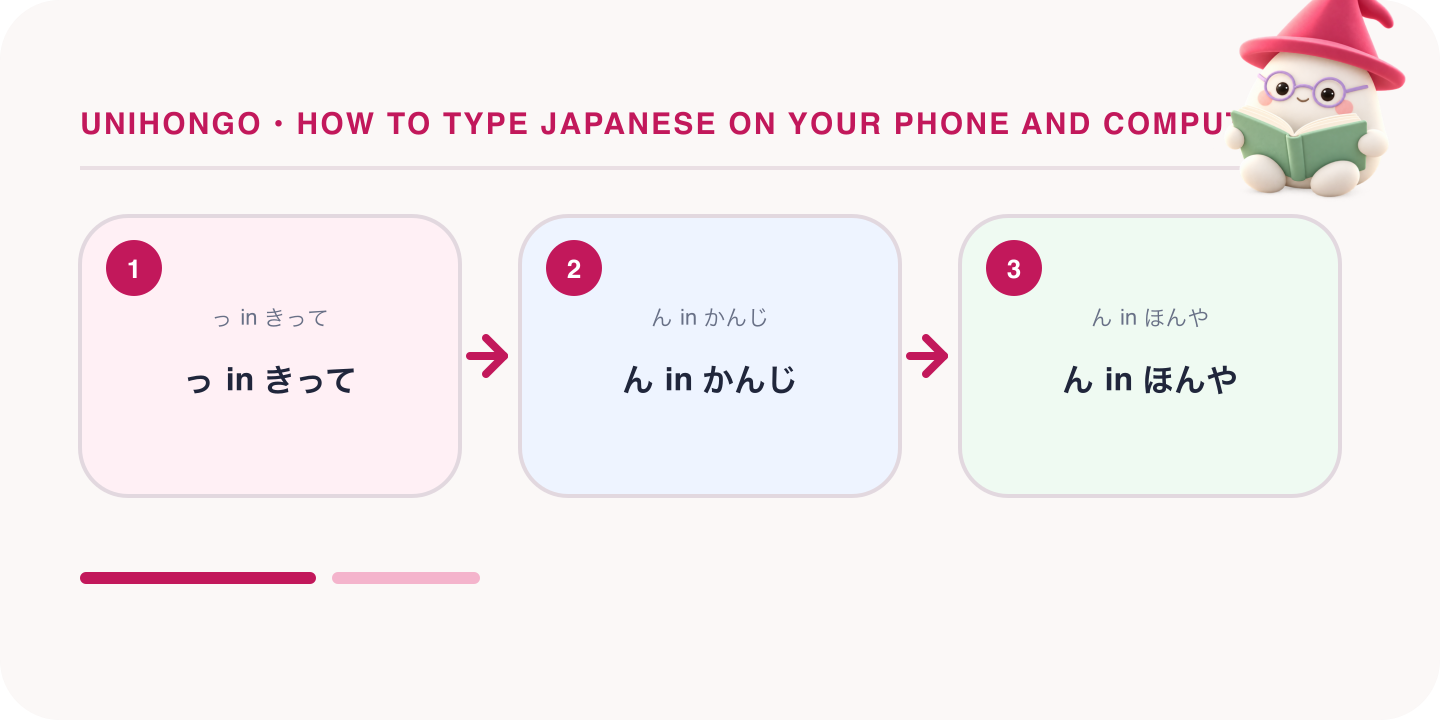
| っ in きって | kitte | Doubling the following consonant produces the small tsu |
| っ on its own | ltu or xtu | Needed at the end of a word, as in あっ |
| ん in かんじ | kanji | A single n works because a consonant follows |
| ん in ほんや | honnya | honya gives ほにゃ instead |
| ゅ in しゅみ | shumi | Small ya, yu and yo come from the combined spelling |
| ゃ on its own | lya or xya | The same l or x prefix as the small tsu |
| ー in コーヒー | ko-hi- | The long mark is the hyphen key, not a repeated vowel |
| おおきい | ookii | Long vowels in hiragana are spelled out, never hyphenated |
| こんにちは | konnichiha | The final は is typed ha although it sounds wa |
| を | wo | Type wo only when you mean the particle |
| ティ in パーティー | pa-thi- | thi gives ティ and dhi gives ディ |
| ファ in ソファ | sofa | fa, fi, fe and fo all work directly |
Keep this open for the first week and it will stop being needed. Nearly every complaint that Japanese typing is broken comes down to one of these rows, usually the n. If a word refuses to convert, look at the kana rather than the romaji: the mistake is almost always a missing small tsu or a stray に where ん belonged.
The three rules that catch everyone
The small tsu is written by doubling the consonant that follows it, so kitte gives きって and gakkou gives がっこう. This mirrors how the sound actually works, a held beat before the consonant, so it stops feeling like a rule fairly quickly. The exception is a small tsu with nothing after it, common at the end of surprised speech, which needs the l or x prefix.
The syllabic n is the single biggest source of frustration. Before a consonant it resolves by itself, so kanji and shinbun are fine, but before a vowel or a y sound it will try to combine, turning tan'i into たに and honya into ほにゃ. Typing nn every time removes the problem entirely and costs one keystroke.
Long vowels behave differently in the two scripts. In katakana the length mark ー is typed with the hyphen key, so コーヒー is ko-hi- and サービス is sa-bisu. In hiragana you spell the vowel out: とうきょう is toukyou, おおきい is ookii, and おねえさん is oneesan. Typing the romaji you see in a textbook, with a macron over the vowel, produces nothing at all.
Punctuation, symbols, and widths
Japanese punctuation comes from the ordinary keys once the input mode is Japanese, and the symbols that are not on a key have names you can type and convert. This is worth knowing early, because hunting through a character palette for a bracket is exactly the kind of friction that sends people back to English.
- The comma and full-stop keys produce 、 and 。 automatically in Japanese mode.
- Corner brackets 「 and 」 usually sit on the square bracket keys.
- Full-width ? and ! appear in the candidate list after you type the ordinary ones.
- Symbols have readings you can convert: type kome for ※, maru for ○, shikaku for □, and yajirushi for arrows.
- Half-width and full-width matter for digits and Latin letters, and forms usually expect half-width digits.
- On most phone keyboards, typing kao and converting brings up kaomoji faces.
Flick input versus a kana keyboard
On a phone you have two real options. A QWERTY layout with romaji input works exactly like your computer and needs no new skill, which makes it the right starting point. The twelve-key flick layout puts one key per kana row: touch the あ key for あ, then flick left, up, right, or down for い, う, え, and お. It feels strange for a day and then becomes noticeably faster, because each kana takes a single gesture.
The learning benefit is the interesting part. Flick input makes you think in kana rows rather than Latin spellings, which reinforces the same structure that governs verb conjugation and the kana chart. On a computer the equivalent, a kana hardware layout, is rarely worth the trouble: it means memorising a separate key map for no gain in accuracy.
Choosing between homophones trains your kanji
Japanese has a great many words that share a reading, so the candidate list is where you meet them. The reading kouen alone covers a park, a lecture, and a performance; kikan covers a period of time and an institution; hashi covers a bridge, chopsticks, and an edge. Picking the right one forces a real decision about meaning several times a day, and doing it badly gives you memorable evidence in the form of a message that says something odd.
The practical technique is to type more context, not less. Converting a whole phrase usually puts the right candidate first and lets you read the sentence back as a check. Where two candidates both fit, the gloss beside each option tells you which is which, and that half-second of reading is worth more than a flashcard.
| Japanese | Romaji | Meaning |
|---|---|---|
| 公園で会いましょう。 | Kōen de aimashō. | Let's meet at the park. |
| 講演はもう始まりました。 | Kōen wa mō hajimarimashita. | The lecture has already started. |
| 今日は暑いですね。 | Kyō wa atsui desu ne. | It's hot today, isn't it. |
| このスープは熱いです。 | Kono sūpu wa atsui desu. | This soup is hot. |
| 橋を渡ってください。 | Hashi o watatte kudasai. | Please cross the bridge. |
| お箸をください。 | Ohashi o kudasai. | Chopsticks, please. |
| 何時に帰りますか? | Nan-ji ni kaerimasu ka? | What time are you going home? |
| 予定を変えてもいいですか? | Yotei o kaete mo ii desu ka? | May I change the plan? |
Type each of these as a whole sentence rather than a word at a time and watch how rarely the input method gets it wrong. Then type just atsui on its own and see the list you are offered. That difference is the argument for chunking, and it is also a neat demonstration of why context matters as much in reading as it does in conversion.
Dictation and handwriting when you are stuck
Two input methods exist for the moments when romaji fails you. Voice input handles the case where you can say a word but cannot spell it, and it doubles as rough pronunciation feedback: if the transcription is wrong, something in your vowels was off. Handwriting input handles the opposite, a character you met on a sign and cannot read at all. Draw it with a finger, get the character, then look it up properly.
Both are supplements rather than replacements. Dictation struggles with proper nouns and with quiet rooms full of other people, and handwriting recognition forgives wrong stroke order, so it will happily confirm a bad habit. Use them to get unstuck, then type the word properly once.
| Japanese | Romaji | Meaning |
|---|---|---|
| これはどう書きますか? | Kore wa dō kakimasu ka? | How do you write this? |
| 音声入力を使っています。 | Onsei nyūryoku o tsukatte imasu. | I am using voice input. |
| 手書きで入力しました。 | Tegaki de nyūryoku shimashita. | I entered it by handwriting. |
| この字が読めません。 | Kono ji ga yomemasen. | I cannot read this character. |
| うまく変換できません。 | Umaku henkan dekimasen. | It won't convert properly. |
Text expansion for the lines you write daily
Every input method has a user dictionary, usually called word registration, where you pair a reading you invent with the text it should produce. Register your address, your email, and the polite openings and closings you write several times a day, and a great deal of typing disappears.
Choose readings you would never type by accident. Something like aisatsu1 or zzmail is safe, whereas registering a common word will interfere with normal conversion for months before you work out why. Register a handful, live with them for a week, and add more only when you notice yourself typing the same thing twice.
| Japanese | Romaji | Meaning |
|---|---|---|
| お疲れ様です。 | Otsukaresama desu. | The standard opening in a workplace message. |
| よろしくお願いします。 | Yoroshiku onegai shimasu. | Thank you in advance. |
| 承知しました。 | Shōchi shimashita. | Understood. |
| 確認いたします。 | Kakunin itashimasu. | I will check and get back to you. |
| 少々お待ちください。 | Shōshō omachi kudasai. | Please wait a moment. |
| 遅れてすみません。 | Okurete sumimasen. | Sorry for the delay. |
| ご連絡ありがとうございます。 | Gorenraku arigatō gozaimasu. | Thank you for getting in touch. |
| お世話になっております。 | Osewa ni natte orimasu. | Thank you for your continued support. |
The words you will see on screen
Japanese input settings are often written in Japanese, and the vocabulary is small enough to learn in one sitting. Knowing these words means you can change a setting on someone else's machine, follow an instruction on a Japanese support page, and describe your problem when something goes wrong.
| Japanese | Romaji | Meaning |
|---|---|---|
| 日本語入力 | Nihongo nyūryoku | Japanese input |
| 変換 | Henkan | conversion, the step that turns kana into kanji |
| 確定 | Kakutei | confirming a conversion |
| 予測変換 | Yosoku henkan | predictive conversion |
| ローマ字入力 | Rōmaji nyūryoku | romaji input |
| かな入力 | Kana nyūryoku | kana input |
| フリック入力 | Furikku nyūryoku | flick input |
| 単語登録 | Tango tōroku | word registration, the text expansion feature |
| 半角 | Hankaku | half-width |
| 全角 | Zenkaku | full-width |