
How QR payments work in Japan
QR code payment, kyū āru kōdo kessai, is part of what Japanese calls cashless payment, kyasshuresu kessai, together with cards, IC cards and smartphone tap payments. You hold a balance or link a card in an app, and pay by code at the register. Shops show which apps they accept with stickers by the door or the till; a sign may simply say that various QR payments are accepted.
Every app works in one of two ways at the register, and the shop decides which. Knowing the difference is the key to a smooth payment.
| Japanese | Romaji | Meaning |
|---|---|---|
| QRコードで払えますか。 | Kyū āru kōdo de haraemasu ka. | Can I pay with a QR code? |
| キャッシュレス決済 | kyasshuresu kessai | cashless payment |
| 各種QRコード決済ご利用いただけます | kakushu kyū āru kōdo kessai goriyō itadakemasu | Various QR code payments accepted (sign) |
QR payment sits beside other cashless options. Transport IC cards are tapped on a reader, and credit cards and smartphone wallets can often be tapped too. The clerk's question about how you will pay covers all of them, so the name you give, card, IC card or an app name, tells the clerk which button to press on the register.
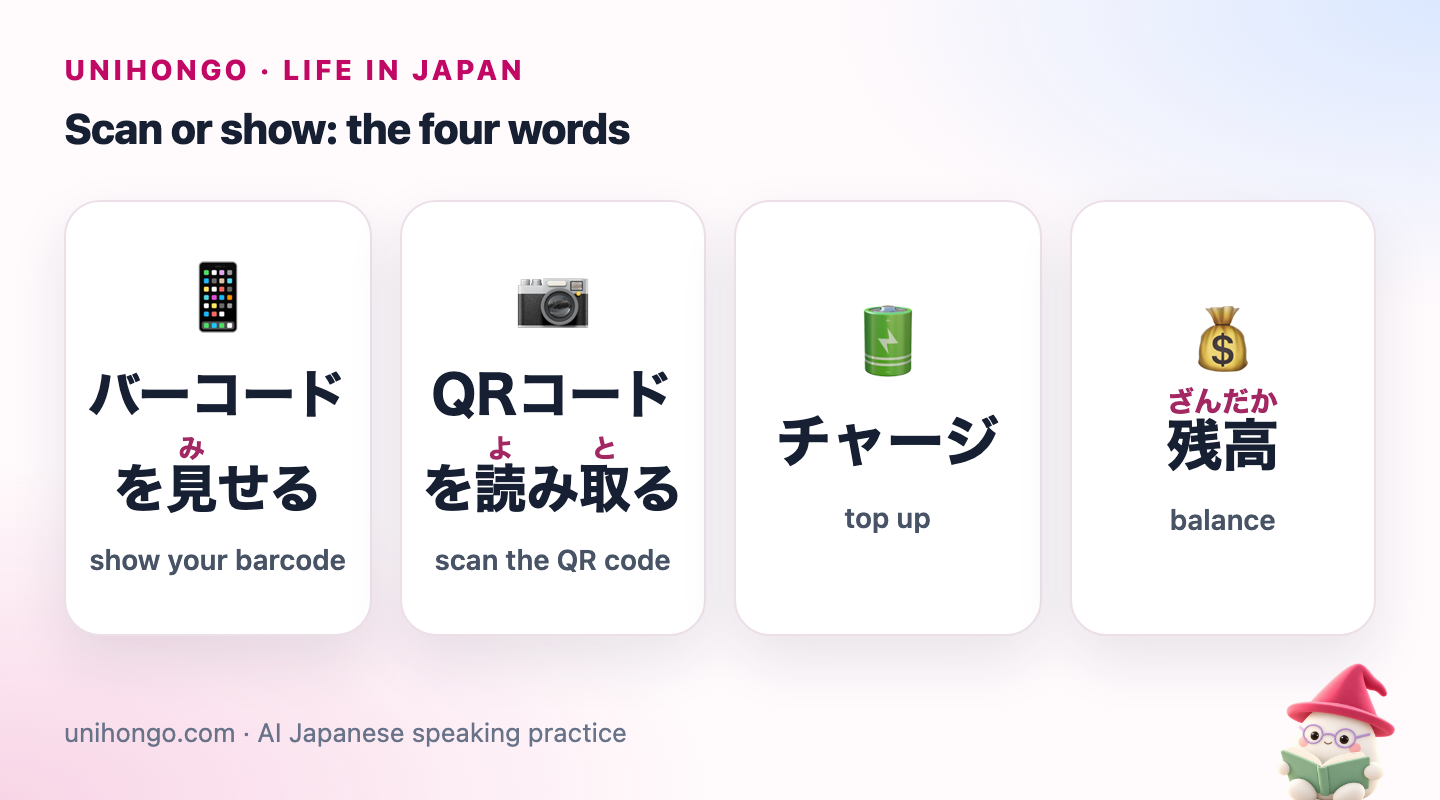
Scan or show: the four words
| Japanese | Romaji | Meaning |
|---|---|---|
| バーコードを見せる | bākōdo o miseru | show your barcode |
| QRコードを読み取る | kyū āru kōdo o yomitoru | scan the QR code |
| チャージ | chāji | top up |
| 残高 | zandaka | balance |
| Point | You show (store scan) | You scan (user scan) |
|---|---|---|
| Where | Most chains, supermarkets, konbini | Small shops, stalls, some restaurants |
| What you do | Open the pay screen and show the barcode | Scan the shop's printed code, enter the amount, confirm |
| Who checks | The register reads it automatically | The clerk looks at your completed screen |
| Common mistake | Showing an expired code; refresh it | Typing the wrong amount; check before confirming |
You can usually tell which method a shop uses before you reach the till. A printed QR code on a stand or taped to the counter means you scan; a small handheld scanner or a scanner window facing you means the clerk scans your barcode. If there is neither, ask. In a self-checkout, choose the app on the touch screen first, then show your code to the scanner on the machine.
What you say and what you hear
The simplest line is the app's name plus de, with, said when the clerk asks how you will pay or as you hand over your items. Clerks often reply with a short instruction.
| Japanese | Romaji | Meaning |
|---|---|---|
| PayPayで。 | PeiPei de. | With PayPay. |
| お支払い方法は? | Oshiharai hōhō wa? | Clerk: How will you pay? |
| バーコードをお願いします。 | Bākōdo o onegai shimasu. | Clerk: Your barcode, please. |
| こちらのQRコードを読み取ってください。 | Kochira no kyū āru kōdo o yomitotte kudasai. | Clerk: Please scan this QR code. |
| 金額を入力して、画面を見せてください。 | Kingaku o nyūryoku shite, gamen o misete kudasai. | Clerk: Enter the amount and show me the screen. |
| d払いは使えますか。 | Dī barai wa tsukaemasu ka. | Can I use d Barai? |
A full exchange at a small shop
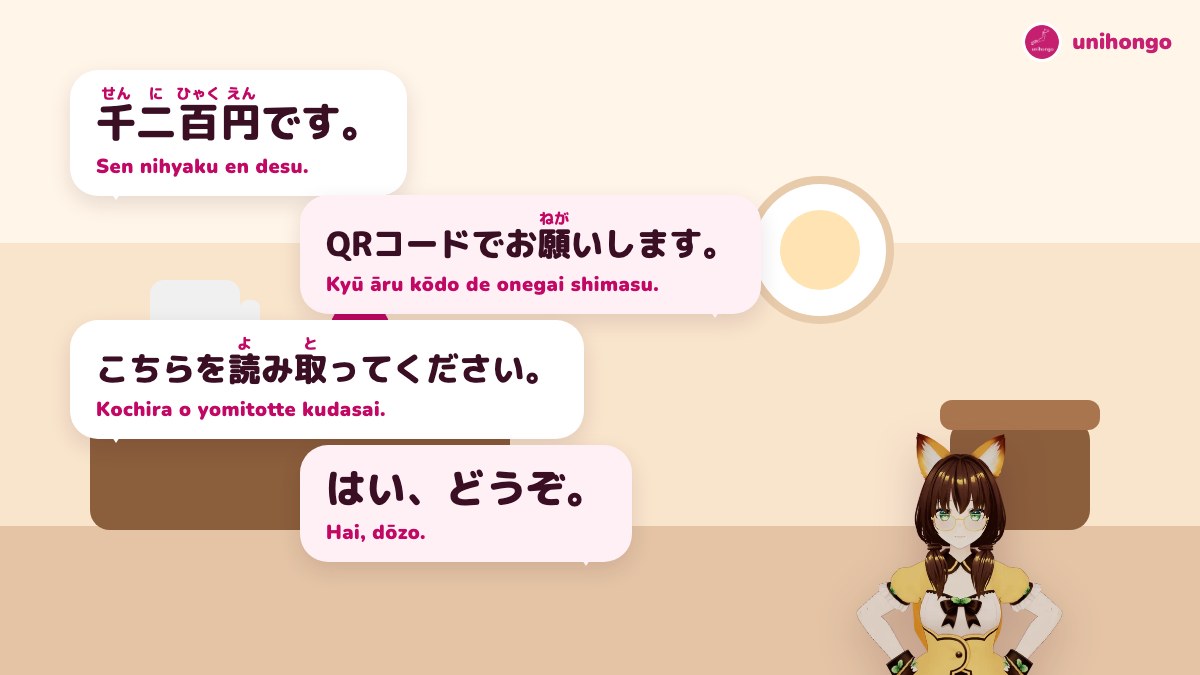
At a small shop where you scan, the clerk will tell you the total, point to the printed code and wait for your screen. Some apps make a sound on completion that the clerk listens for.
| Japanese | Romaji | Meaning |
|---|---|---|
| お会計、千二百円です。 | Okaikei, sen nihyaku en desu. | Clerk: Your total is 1,200 yen. |
| QRコード決済でお願いします。 | Kyū āru kōdo kessai de onegai shimasu. | You: By QR code, please. |
| では、こちらを読み取ってください。 | Dewa, kochira o yomitotte kudasai. | Clerk: Then please scan this. |
| 千二百円ですね。…はい、どうぞ。 | Sen nihyaku en desu ne. ... Hai, dōzo. | You: 1,200 yen, right? ... Here you are. |
| ありがとうございます。レシートはご利用ですか。 | Arigatō gozaimasu. Reshīto wa goriyō desu ka. | Clerk: Thank you. Would you like the receipt? |
| あれ、エラーになりました。 | Are, erā ni narimashita. | You: Oh, it says error. |
| もう一度お願いできますか。 | Mō ichido onegai dekimasu ka. | Clerk: Could you try once more? |
| では、現金で払います。 | Dewa, genkin de haraimasu. | You: Then I'll pay in cash. |
If a payment fails, check your balance and connection before trying again, and never pay twice without checking the history: a payment that showed an error can sometimes still go through. Show the clerk your payment history if you are unsure.
Topping up, refunds and the app screens
Balances are topped up from a linked bank account, at certain ATMs, by card or in some cases at a register; each app has its own options. Some apps let you pay straight from a linked card. Points given back after payment are often added a few days later.
If you return an item, the shop cancels or refunds the payment from its terminal; you usually cannot reverse it yourself. The money returns to your app balance or original method. For a mistaken payment at a small shop, ask the clerk straight away, while both of you can see the screen.
| Japanese | Romaji | Meaning |
|---|---|---|
| チャージしてください。 | Chāji shite kudasai. | Please top up. (app message) |
| 残高が足りません。 | Zandaka ga tarimasen. | Insufficient balance. (app message) |
| 支払い履歴 | shiharai rireki | payment history |
| 返金してもらえますか。 | Henkin shite moraemasu ka. | Could I get a refund? |
| ポイント還元 | pointo kangen | points given back |
| 支払い完了 | shiharai kanryō | payment complete |
| キャンセル | kyanseru | cancel |
| 上限額 | jōgengaku | upper limit |
Setting up as a foreign resident
| Japanese | Romaji | Meaning |
|---|---|---|
| 本人確認が必要です。 | Honnin kakunin ga hitsuyō desu. | Identity verification is required. (app) |
| 銀行口座を登録する | ginkō kōza o tōroku suru | register a bank account |
- Most apps need a phone number that can receive text messages, usually a Japanese number.
- Topping up from a bank needs a Japanese account; some banks link more easily than others.
- Sending money to friends and some higher limits often require identity verification, honnin kakunin, with a residence card.
- Update the app when your residence card is renewed if the app asks for it.
- Turn on a screen lock and do not share codes; a code shown on your screen can be used once by whoever scans it.
When to keep some cash
- Many shops show the logos of only some apps; yours may not be one of them.
- Some restaurants, shrines, festivals and older shops take cash only.
- Network or app outages happen, and a dead battery stops everything.
- Bills at the konbini register are generally paid in cash, not by QR app.
- Some ticket machines and coin lockers accept only cash or IC cards.
- A common mistake: showing an old screenshot of the barcode. Codes refresh every few minutes and a screenshot will fail.
- Another: walking away from a user-scan payment without showing the completed screen. The clerk needs to see it.
Splitting a bill and sending money to friends
Many apps let you send money to another user of the same app, which friends use to split a meal or a shared gift. The person who paid the restaurant asks the others to send their share, warikan, and you send it to their account in the app by scanning their personal code or choosing them from your contacts. Some apps also let you request money from a group.
Sending money between people usually needs identity verification in the app, and the money sent may only be usable inside the app or may be withdrawable to a bank, depending on how the balance was topped up. Check the app's rules if you plan to use it often. Keep it among people you know: scammers sometimes ask strangers to send money through payment apps, for example on second-hand marketplaces.
| Japanese | Romaji | Meaning |
|---|---|---|
| 割り勘にしよう。 | Warikan ni shiyō. | Friend: Let's split it. (casual) |
| 一人二千円ね。アプリで送って。 | Hitori nisen en ne. Apuri de okutte. | Friend: 2,000 yen each. Send it by app. |
| 今送ったよ。 | Ima okutta yo. | You: I've just sent it. (casual) |
| 届いた、ありがとう! | Todoita, arigatō! | Friend: Got it, thanks! |
| 受け取る | uketoru | receive (button) |
| 送金 | sōkin | send money |
Pay smoothly at your next register
Ask Mocchi to quiz you on the register lines in this guide with /quiz, mixing the store-scan and user-scan versions, so that you can tell which one the clerk wants from the first word. If an app message in Japanese confuses you, paste it and ask Mocchi to explain it.
Then practise the whole exchange aloud in the Convenience Store Checkout roleplay mission in AI Sensei, and say which app you want to pay with when the clerk asks how you will pay.